Dr. Leslie O'Brien, SEM Manager, Lehigh University – Institute for Functional Materials and Devices
As a manager of an electron microscopy facility with a dozen instruments and a diverse user base, we often find ourselves heeding the adage, “If it ain’t broke, don’t fix it,” particularly when it comes to the ever-evolving field of energy dispersive x-ray spectroscopy (EDS) and electron backscatter diffraction (EBSD) software. With many instruments to operate and maintain, priorities and funding can shift unexpectedly. Upgrading EDS/EBSD software will likely get pushed to the back burner, especially when there is nothing functionally wrong with our version.
We recently had the opportunity to upgrade the EDAX computer on our focused ion beam (FIB) from TEAM™ to the new APEX™ software. The FIB does a substantial amount of EBSD work, with lesser EDS, and is one of our facility’s busiest instruments among academic and industry users. Of course, sometimes, with progress comes resistance! Users become comfortable and proficient with software or hardware and are frustrated or reluctant about spending the time and energy to learn something new.
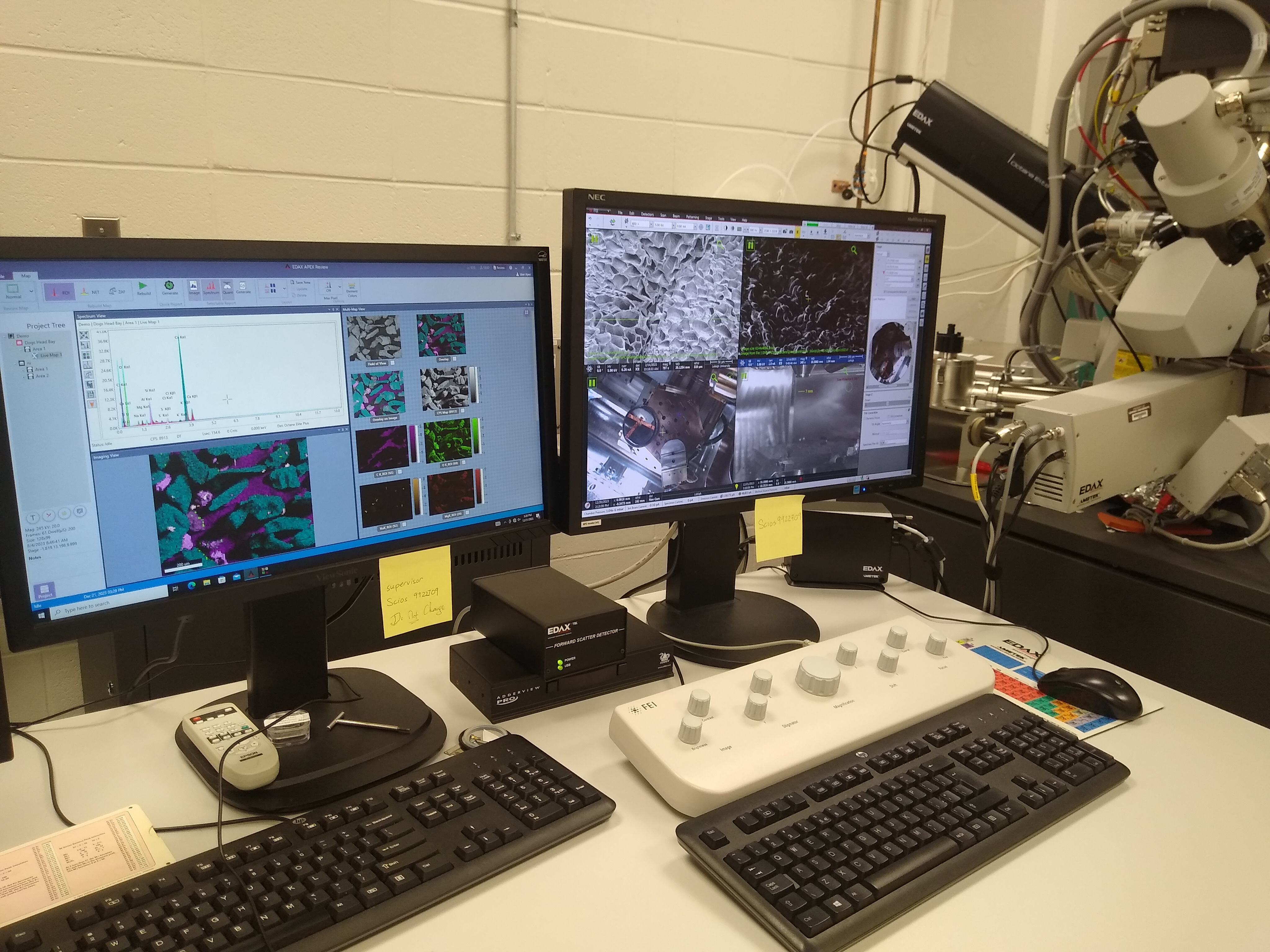
Figure 1. EDAX EDS and EBSD systems running APEX software in the SEM lab in the Institute for Functional Materials and Devices at Lehigh University.
The transition from TEAM to APEX was, for the most part, an easy one. APEX has much of the same fundamental functionality of TEAM, with some nice additions, only minor restructuring, and an updated user interface (UI) that was a welcome sight.
Our facility serves researchers across all disciplines with various levels of analytical experience. We provide a mix of paid service research and hands-on training for users wanting to develop their own microscopy skill set. I have found that APEX’s updated, user-friendly interface has made the training aspect easier for both the teacher and the student. We can focus on the fundamentals of EBSD and EDS analysis as well as the specifics of each individual’s analytical goals without being bogged down or distracted by a clunky UI.
APEX Review mode is also quite popular with the user base. Our facility does charge user fees, so anything that makes someone’s instrument time more efficient without compromising the quality of their data is a big positive. We do quite a bit of EBSD and EDS mapping, and being able to process existing data or generate reports while new data is being collected simultaneously adds value to the time and money spent sitting and working at the FIB. Another simple yet valuable feature we appreciate is being given an estimated EDS map time before you start the map.
There has been positive feedback from users who conduct EBSD analyses regarding integrating EDAX OIM Analysis™ with the APEX software. Taking an APEX EBSD dataset and opening it in OIM Analysis to process the data is much more efficient than using the TEAM software. When it comes to EBSD, we want to ensure that we are operating the system carefully so as not to damage the camera. I prefer the separate software icons for EDS, EBSD, or Suite in APEX over the combined software of TEAM. This helps to ensure that a distracted user who is solely there for EDS doesn’t accidentally insert the EBSD camera – it happens.
All of this has made for a more streamlined approach to data collection, data analysis, and report generation on the FIB. The upgrade to APEX has allowed us to continue to produce quality data with improved efficiency in a high-throughput environment. It's just something we didn’t realize we needed until we had it!